Article · Systems
What Your POS Must Do to Stay eTIMS-Compliant
Astraque Softwares14 min read
A point-of-sale system can calculate totals, track stock and print beautiful receipts and still fail to handle eTIMS correctly.
For Kenyan businesses, that distinction matters.
KRA requires persons engaged in business to onboard onto eTIMS and issue electronic tax invoices. For businesses that already operate their own POS, ERP or invoicing software, KRA provides system-to-system integration through the Online Sales Control Unit (OSCU) and Virtual Sales Control Unit (VSCU).
That means an eTIMS-ready POS is not simply a normal till with the words "KRA compliant" added to the brochure.
The invoicing workflow needs to be designed around how eTIMS actually works.
If you are buying, replacing or building a POS system in Kenya in 2026, these are the things your till should be able to handle.
What does an eTIMS-compliant POS actually mean?
There is an important distinction to make first.
A POS does not become eTIMS-compliant simply because it can print a receipt.
The system needs to support the electronic invoicing process required for the business and, where it communicates directly with eTIMS, use the appropriate KRA system-to-system integration.
KRA currently provides two integration approaches for businesses with their own invoicing or ERP systems:
- OSCU, or Online Sales Control Unit, for invoicing systems that operate online.
- VSCU, or Virtual Sales Control Unit, for businesses with extensive transactions or bulk invoicing, including environments where the invoicing system may not always be online.
KRA requires self-integrating taxpayers and third-party software integrators to go through development, testing, vetting and certification before using these integrations in production.
So when evaluating a POS, the real question is not:
"Does it print an eTIMS receipt?"
It is:
"How does this system create, transmit, verify, correct and store electronic tax invoices?"
That question reveals much more.
The POS must capture the right invoice information
The starting point is the transaction itself.
A valid electronic tax invoice needs more information than the total amount paid.
KRA lists key invoice information such as the trader's name and PIN, invoice date and time, description of the goods or services, quantity, unit cost, gross amount, tax amount, tax rate, unique invoice number and electronic identifiers associated with the invoice.
Your POS therefore needs a properly structured sales record.
A transaction should not simply look like:
Sale — KSh 4,500
The system should understand what was sold, how many units were sold, the applicable price, tax treatment, customer information where required and how the final amount was calculated.
That structured data is useful beyond tax compliance.
It is also what allows the same transaction to update inventory, reports, customer history and accounting records accurately.
It must use the correct tax treatment
Not everything sold by a Kenyan business is taxed in exactly the same way.
Your POS needs to distinguish between the tax categories relevant to the products and services your business sells.
For VAT, KRA currently lists a general rate of 16% and a zero rate of 0% for qualifying zero-rated supplies, while exempt supplies are treated separately.
A good POS should therefore not assume that every item carries the same tax treatment.
More importantly, tax configuration should not be buried permanently inside the software.
Tax rules can change.
Products can also be assigned incorrectly.
A properly designed POS should allow authorized administrators to maintain the relevant tax configuration without requiring developers to rewrite the checkout system every time a legitimate business rule changes.
It must generate the correct electronic invoice
The receipt coming out of the printer is only the visible end of the process.
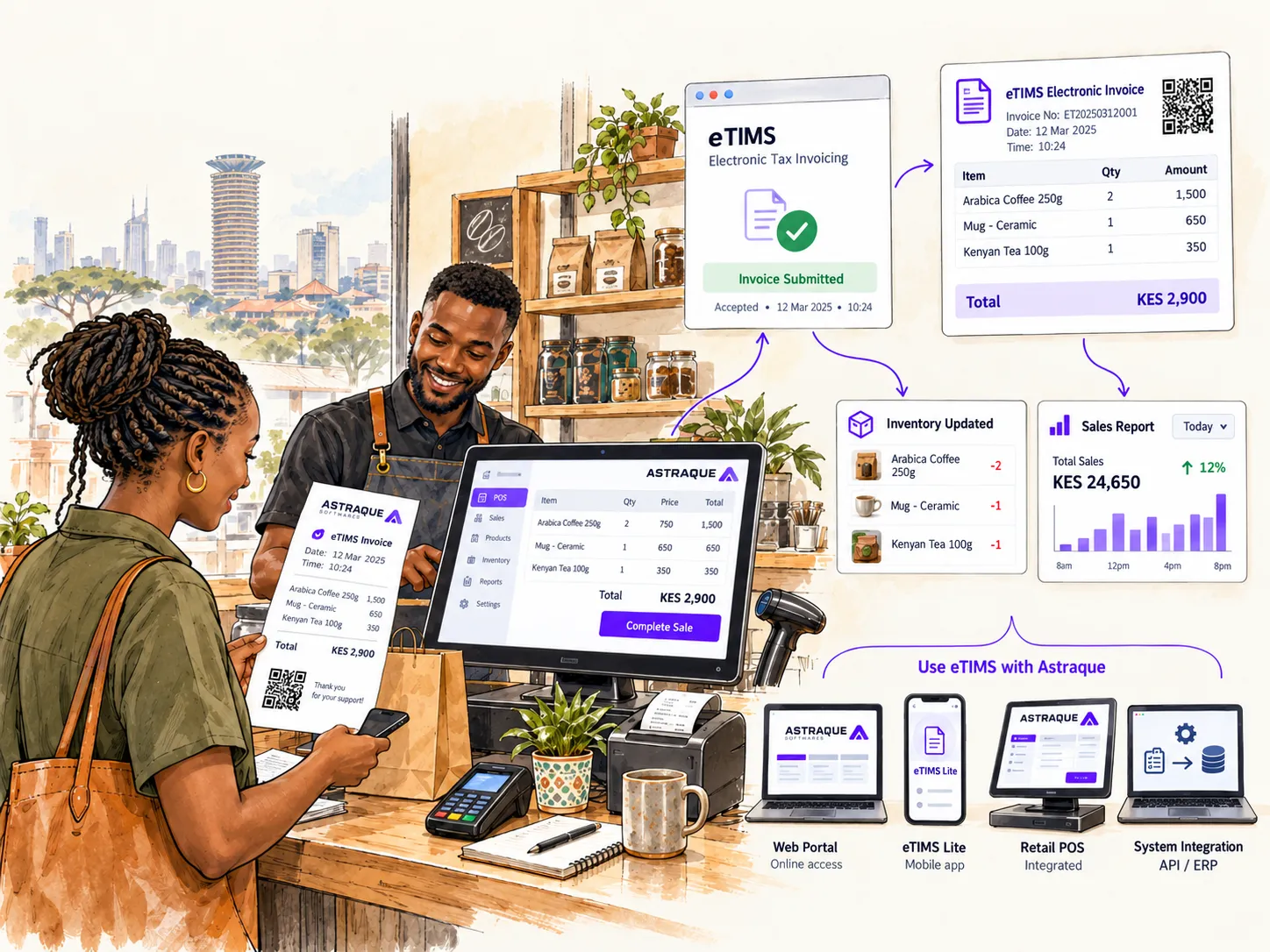
Behind it, the transaction needs to produce the correct electronic invoice through the applicable eTIMS solution.
For an integrated POS, that typically means sending the required transaction information through the appropriate eTIMS integration and correctly handling the response.
The software should know whether the transaction was accepted rather than simply assuming that everything worked because the cashier clicked "Pay."
That distinction is critical.
Imagine a customer pays KSh 18,000.
The POS records the payment.
Inventory is reduced.
A receipt prints.
But the electronic invoicing request fails.
From the cashier's perspective, everything looked successful.
From the invoicing perspective, something is missing.
A properly designed system should detect that state and handle it instead of silently pretending the transaction was fully completed.
Your till should know whether an invoice was successfully transmitted
Reliable integrations are built around states.
A transaction might be:
Created.
Awaiting transmission.
Successfully transmitted.
Rejected.
Waiting for retry.
Reversed.
Those states matter because internet connections and external services are not perfect.
A POS that communicates with eTIMS should have a clear way of knowing what happened to each invoice.
For online invoicing environments, OSCU is intended for systems whose invoicing operates online. VSCU provides another system-to-system option suited to extensive or bulk invoicing and systems that may not always operate online.
The architecture of your POS should match the eTIMS solution being used rather than treating unreliable connectivity as an afterthought.
It should not duplicate invoices when something goes wrong
This is an engineering problem that can easily become a business problem.
Suppose your cashier completes a sale and the POS sends the invoice.
The connection times out before the POS receives confirmation.
What should happen if the cashier clicks the button again?
A poorly designed integration may create another transaction.
A well-designed POS should be able to recover safely from interrupted requests and reconcile the final state without employees repeatedly creating sales.
This requires careful transaction handling, retries, reconciliation and safeguards against accidental duplication.
These are not glamorous features.
Customers will probably never notice them when they work correctly.
But they are exactly the kind of engineering details that determine whether a POS remains reliable during a busy working day.
It needs to handle buyer information correctly
Not every customer needs to provide a KRA PIN for every ordinary retail purchase.
However, buyer information becomes important in business transactions, particularly where the purchaser intends to use the invoice to support business expenses or applicable VAT claims.
KRA advises that where a purchase is for business purposes and the purchaser intends to make the relevant tax claim, the correct buyer PIN should be captured. If the wrong PIN is used, correcting the transaction can require reversing it with a credit note and issuing the invoice correctly.
For a POS, this means buyer information should not be treated as an insignificant text field.
The system should make it easy for a cashier to capture customer details accurately where required.
For regular business customers, storing verified customer records can reduce repeated typing and minimize errors.
Credit notes must be part of the system
Sales do not always remain exactly as they were originally recorded.
Customers return products.
Quantities are entered incorrectly.
Orders are cancelled.
Prices need to be corrected.
This is why a proper POS needs more than a delete button.
KRA states that credit notes are used where an invoice needs to be corrected in the relevant circumstances. It also states that where taxpayers use several eTIMS solutions, the credit note must be generated from the same solution that raised the original invoice.
Your POS should therefore preserve the relationship between the original sale and any later correction.
If the cashier reverses a transaction, management should be able to see:
the original sale,
who processed it,
when it happened,
why it was reversed,
the resulting credit note,
and who authorized the correction.
That creates a proper audit trail instead of making transactions disappear.
Multiple tills need to behave like one system
A single-counter shop has a relatively simple setup.
A supermarket with eight tills does not.
Neither does a restaurant with several ordering points or a retailer operating five branches.
KRA's eTIMS Client supports multiple branches and cashier tills or pay points, while its system-to-system solutions are designed for businesses that already operate their own invoicing infrastructure.
A modern POS should therefore be designed to understand where a transaction came from.
Management should be able to distinguish between branches, tills and employees without creating disconnected records.
A sale at Westlands should not be indistinguishable from a sale in Mombasa simply because both happened inside the same company.
Every cashier should have their own account
This is not strictly an eTIMS requirement, but it is an important operational control for any serious POS system.
Avoid sharing one cashier account between an entire team.
When each employee has an individual account, the business can see who:
processed a transaction,
gave a discount,
cancelled an order,
issued a refund,
opened a till,
or corrected a sale.
Permissions can also be separated.
A cashier may be allowed to complete normal sales but require a supervisor to approve large discounts, refunds or certain transaction reversals.
The system becomes considerably more useful when accountability is built into the workflow.
Attendance can be part of the same system
Once employees already have individual POS accounts, businesses can go further.
Staff attendance can be connected to the same business platform.
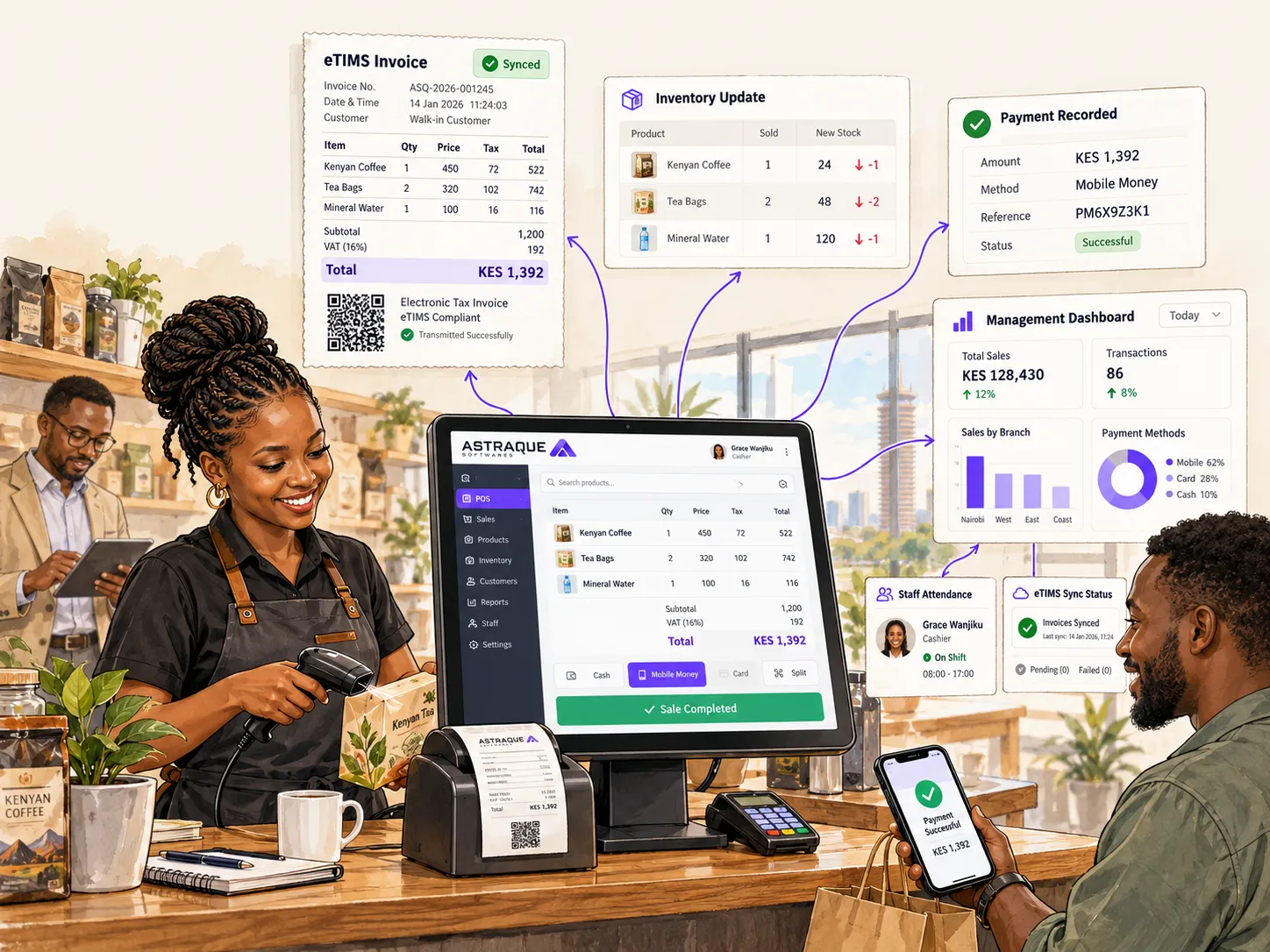
For example, employees can check in when starting a shift, and management can see attendance information alongside cashier activity and branch performance.
That allows the owner to answer questions such as:
Who reported to work today?
Who opened the branch?
Which cashier handled this transaction?
When did the employee's shift begin?
Which staff members are currently on duty?
This is not required by eTIMS.
It is an example of why businesses should think beyond buying a machine that merely prints compliant receipts.
The POS can become part of the wider operating system of the business.
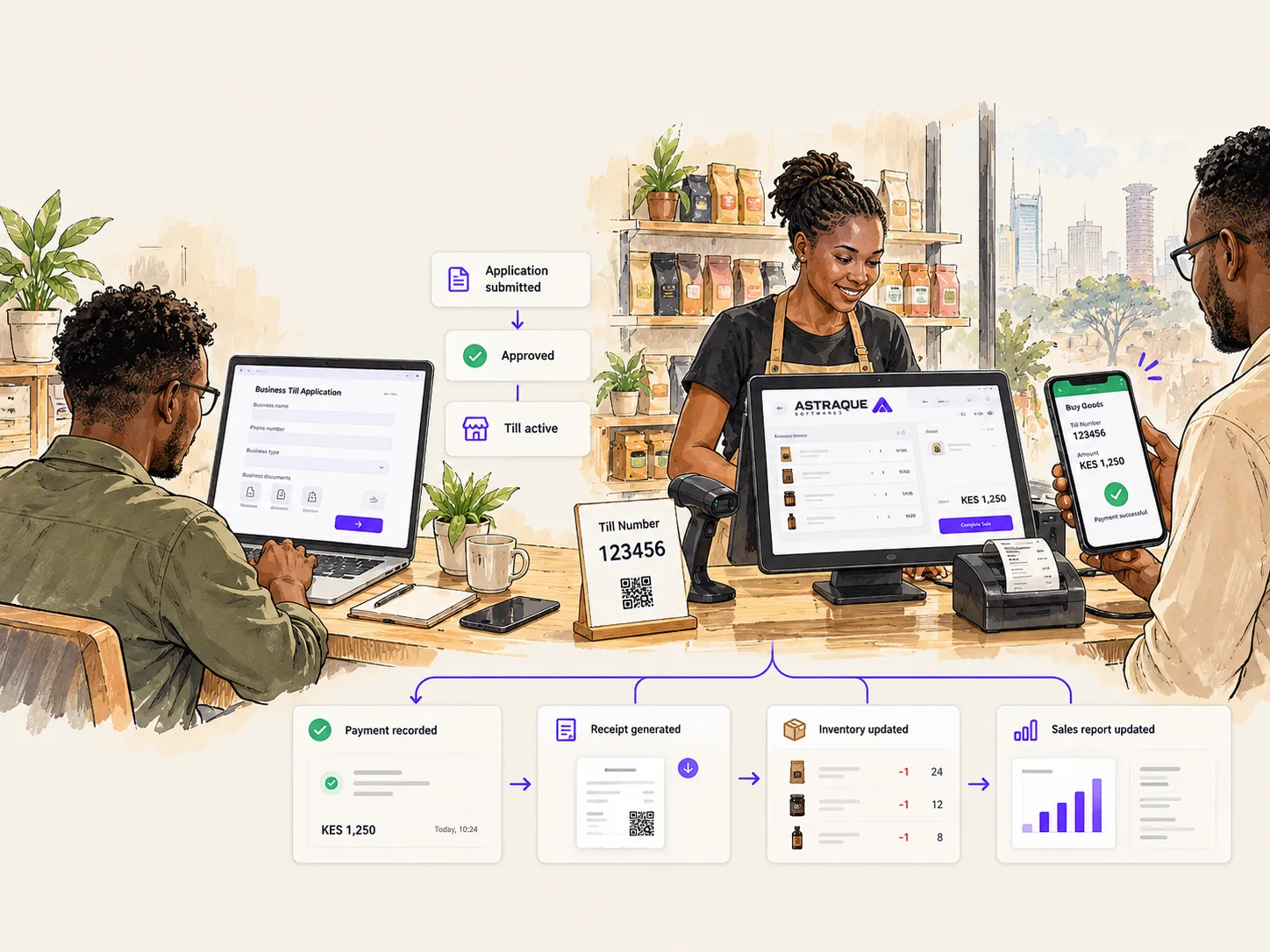
Inventory should update from the same sale
When a cashier sells three units of an item, stock should not need to be updated manually somewhere else.
The completed sale should reduce the relevant inventory automatically.
If the transaction is later legitimately reversed, the stock workflow should also reflect what actually happened.
For multi-branch businesses, inventory should remain associated with the correct location.
This gives management a much clearer picture of:
current stock,
fast-moving products,
slow-moving products,
stock transfers,
low-stock items,
and differences between expected and physical inventory.
Again, eTIMS itself is about electronic invoicing.
But a good POS should use the same transaction to run the rest of the business properly.
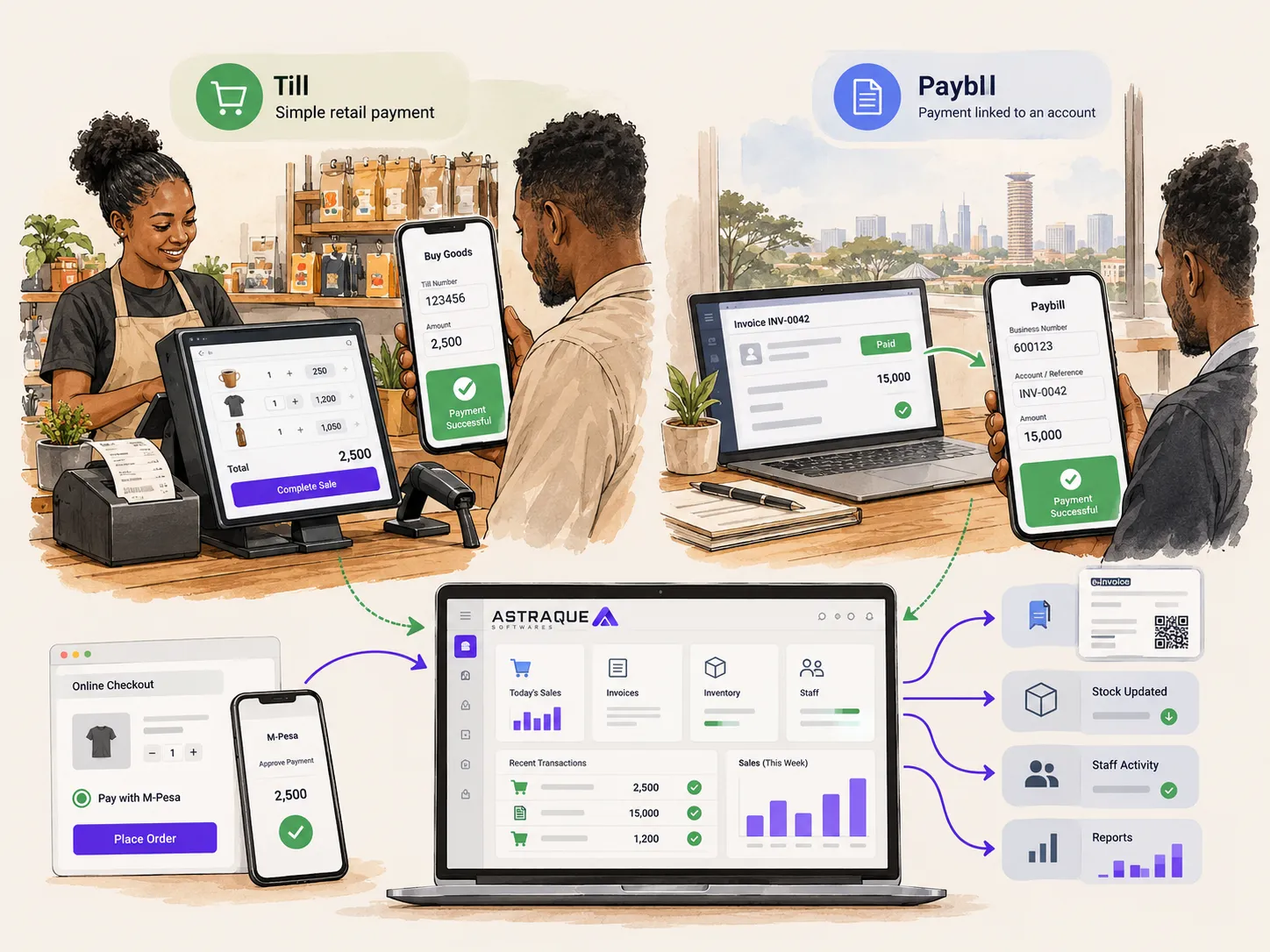
M-Pesa should not exist in another universe
For many Kenyan businesses, M-Pesa is one of the most important payment methods.
Yet some businesses operate a POS on one screen and manually check M-Pesa messages on another phone.
That creates unnecessary reconciliation work.
A more integrated system can associate payment information with the sale so management can reconcile what the POS says was paid against the relevant payment records.
The objective is simple:
one sale should not create five separate manual jobs.
Management needs real-time reports
The business owner should not have to wait until closing time to discover what happened during the day.
A modern POS can provide management dashboards showing information such as sales, payment methods, cashier performance, branch performance, stock movement and attendance.
For businesses with multiple locations, this becomes particularly valuable.
The owner may be nowhere near the till but can still understand how the business is performing.
This is where a POS stops being merely a cash register.
It becomes business infrastructure.
Do not confuse eTIMS support with KRA certification
This is especially important when shopping for POS software.
A vendor may advertise an "eTIMS POS," but you should ask what that actually means.
Does the software simply allow staff to manually use another eTIMS solution?
Does it integrate with OSCU or VSCU?
Who handles the integration?
Has the required certification process been completed for the relevant implementation?
How are failed transactions handled?
How are credit notes handled?
How are invoices reconciled?
KRA says businesses can self-integrate or use KRA-verified third-party integrators, and the integration process involves development, testing, vetting and certification.
Those details matter much more than a logo on a sales brochure.
Your POS should be built for change
A POS is usually used for years.
Kenyan tax rules, payment methods and business requirements can change much faster than that.
Your system should therefore be built so that important business rules can evolve.
Tax configuration should be maintainable.
Payment methods should be extendable.
Integrations should not be tangled into every part of the application.
Branches should be easy to add.
New reports should not require rebuilding the entire platform.
User permissions should be configurable.
The same applies to eTIMS.
A reliable integration should be treated as a separate, well-defined part of the wider POS architecture rather than mixing KRA-specific logic throughout the entire system.
Good architecture makes future changes safer.
Should you buy an existing POS or build a custom one?
Most businesses do not automatically need custom software.
A small shop with straightforward sales and inventory requirements may be perfectly well served by an existing POS.
Custom development starts making more sense when the business has workflows that generic software cannot handle comfortably.
That could include several branches, unusual inventory processes, custom management reports, unique pricing rules, employee attendance, specific approval workflows, M-Pesa integrations or connections to existing accounting and operational systems.
The question is not whether custom software sounds more impressive.
The question is whether generic software is forcing your business to work inefficiently.
If it is, customization may make sense.
Astraque Softwares builds POS systems around how your business works
Astraque Softwares develops custom POS and ERP systems for Kenyan businesses that need more than a generic checkout application.
The system can be designed around your actual workflow, bringing areas such as sales, inventory, M-Pesa payments, staff accounts, attendance, multiple branches and real-time reporting into one platform.
Where direct eTIMS system-to-system integration is required, the implementation must follow KRA's applicable technical, testing and certification process.
That distinction is important.
The objective should never be to simply attach the word "eTIMS" to a POS system.
The objective is to build a reliable sales workflow where electronic invoicing fits naturally into the way the business already operates.
A compliant till should make the cashier's job simpler
From the cashier's point of view, a good system should feel boring.
Scan the item.
Select the customer where necessary.
Take the payment.
Complete the sale.
The complicated work should happen behind the interface.
The POS should maintain the transaction, calculate the correct values, update inventory, record the employee, communicate with the appropriate systems and preserve the information management needs later.
That is what businesses should expect from modern POS software in 2026.
eTIMS compliance is not just about printing another receipt.
It is about making sure the transaction moving through your till is properly structured, transmitted, traceable and connected to the rest of your business.