Article · Systems
Should Your Business Use a Lipa na M-Pesa Till or Paybill?
Astraque Softwares15 min read
For many Kenyan businesses, accepting M-Pesa is almost a requirement.
The harder question is what kind of M-Pesa account your business should use.
Should customers pay through a Till Number using Buy Goods?
Or should they use a Paybill Number and enter an account number?
Both allow businesses to receive payments through M-Pesa, but they are designed around different kinds of transactions.
A Till is generally better suited to straightforward retail payments where the customer is buying something and paying immediately.
A Paybill is more useful when the payment needs to be associated with a customer, invoice, membership, loan, utility account or another reference.
Choosing between them becomes much easier once you look at how customers actually pay your business.
What is a Lipa na M-Pesa Till Number?
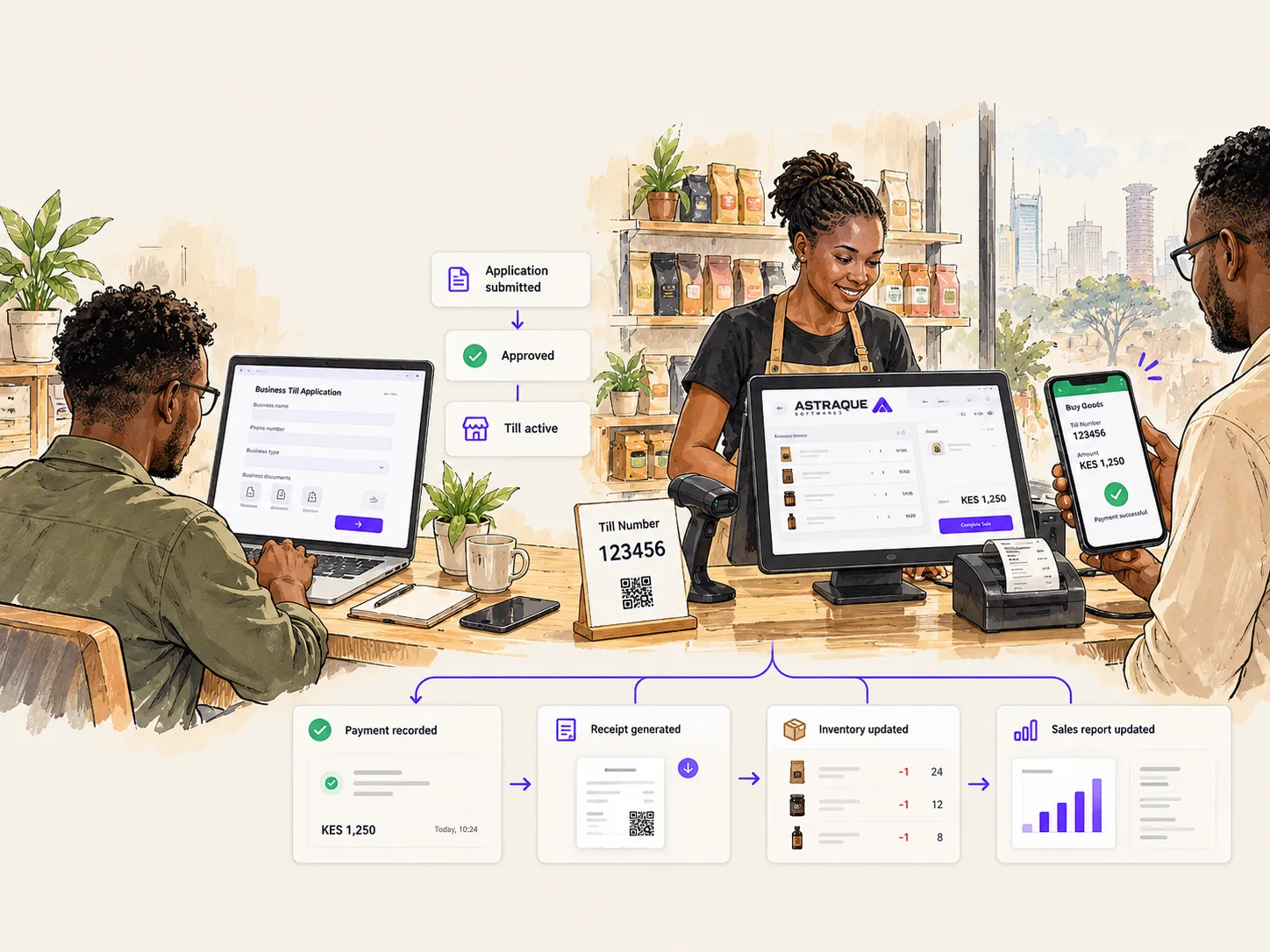
A Till Number is part of M-Pesa's Buy Goods service.
Safaricom describes the M-Pesa Business Till as suitable for retail businesses such as supermarkets, restaurants, hardware stores, pharmacies, boutiques and salons that regularly receive payments from customers.
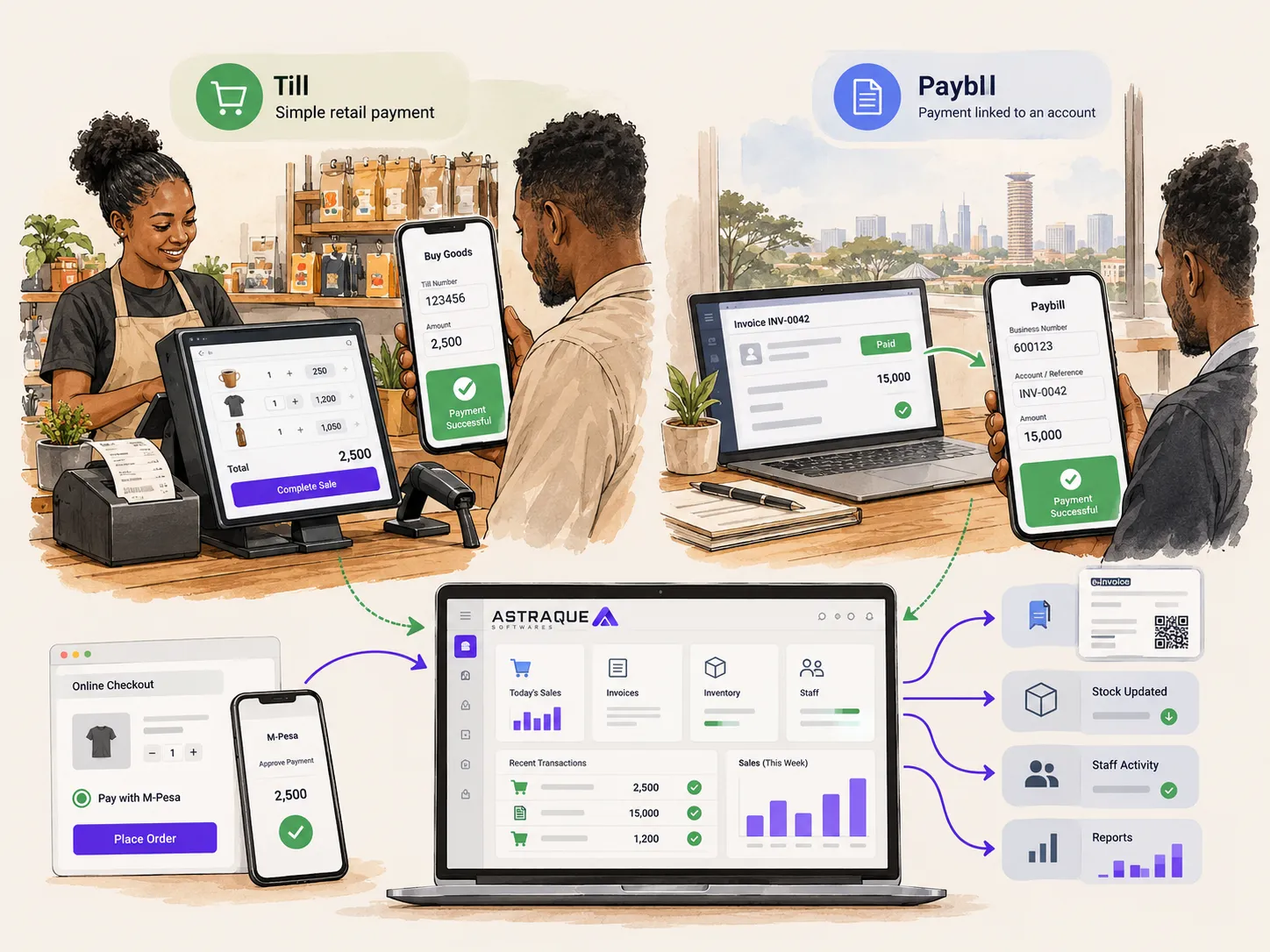
The customer normally selects Buy Goods and Services, enters your Till Number, enters the amount and confirms the payment using their M-Pesa PIN.
There is no separate customer account number to enter.
That simplicity is what makes a Till useful at a checkout counter.
Imagine a customer buying lunch for KSh 850.
The cashier gives them the Till Number.
The customer enters:
Till Number: 123456
Amount: KSh 850
They confirm the payment and the transaction is complete.
For a normal retail purchase, there is usually no reason to ask the customer for another reference.
What is an M-Pesa Paybill Number?
A Paybill is designed more around payment collection.
Safaricom describes Paybill as a service that allows organizations to collect money regularly from customers through M-Pesa.
The major difference is the Account Number.
When paying a Paybill, the customer normally enters:
- the Business Number
- an Account Number or reference
- the amount
That account field lets the business identify what the payment belongs to.
For example:
Business Number: 123456
Account Number: INV-2048
Amount: KSh 15,000
The account number could represent an invoice, student number, tenant, insurance policy, customer ID or another internal reference.
This makes Paybill especially useful when receiving money is not enough.
You also need to know who or what the payment is for.
The easiest way to understand the difference
Think about the transaction happening before the payment.
With a Till, the transaction usually looks like this:
Customer chooses something → business gives the price → customer pays
With a Paybill, it is often closer to:
Customer already has an account, invoice or obligation → customer identifies it → customer pays
That is why Buy Goods is such a natural fit for retail.
The customer standing at the counter does not need an account number.
They simply need to pay.
Paybill becomes more useful when payments need to be matched against records already inside another system.
When a Till Number makes sense
A Till Number is usually the more natural choice for businesses where customers make immediate purchases.
Examples include:
- supermarkets
- restaurants
- cafés
- salons and barbershops
- clothing shops
- pharmacies
- electronics shops
- hardware stores
- petrol stations
- small retailers
- physical service businesses
The payment process is quick.
The customer selects Buy Goods, enters the Till Number and amount, and approves the transaction.
Safaricom's Business Till also allows businesses to use funds collected on the till for activities such as making payments to other Till Numbers, Paybills or mobile numbers and withdrawing funds through supported channels.
For a shop using a POS system, a Till can also fit naturally into the checkout workflow.
When a Paybill Number makes sense
A Paybill is particularly useful when your business needs each payment to contain a reference.
Examples include:
- schools
- property management companies
- utilities
- internet service providers
- insurance businesses
- lenders
- SACCOs
- subscription businesses
- membership organizations
- companies collecting invoice payments
- businesses managing many customer accounts
Suppose you manage 300 rental units.
Knowing that KSh 25,000 arrived in your M-Pesa account is useful.
Knowing that it came from Tenant Account A5-204 is much more useful.
The reference allows your software to connect that payment to the correct customer automatically.
Safaricom's C2B API specifically exposes the Paybill account reference in its payment notification data, while the equivalent field is not used for ordinary Buy Goods payments.
That difference becomes extremely important when automating payment reconciliation.
Till vs Paybill at a glance
A Till Number is generally strongest when the payment itself is the transaction.
A Paybill is generally strongest when the payment needs to be matched to another record.
For example:
A restaurant customer pays KSh 2,400 for dinner.
A Till works naturally.
A tenant pays KSh 28,000 rent for Unit B12.
A Paybill gives the landlord somewhere to capture B12.
A customer pays invoice AST-1042.
A Paybill can use AST-1042 as the account reference.
A shopper walks into a hardware store and buys paint.
A Till keeps the payment process simple.
Neither option is automatically better.
The right one depends on what your business needs to know about each payment.
What about online businesses?
This is where things become more interesting.
You can accept M-Pesa online using either a Till or Paybill depending on how your payment system is structured.
Safaricom's Daraja platform supports M-Pesa Express, commonly called STK Push, for payments to both Till and Paybill short codes.
Instead of asking the customer to manually open M-Pesa and enter payment details, your website or application can initiate the payment request.
For example, a customer may:
- Add products to a cart.
- Enter their phone number.
- Click Pay with M-Pesa.
- Receive an M-Pesa prompt on their phone.
- Enter their M-Pesa PIN.
- Return to an automatically confirmed order.
The customer does not have to copy your Till Number or Paybill Number manually.
Your system handles the payment request and waits for the result.
Both Till and Paybill can be connected to your software
A common mistake is assuming that only Paybill can be integrated with a website or business system.
That is not the case.
Safaricom's Customer to Business API supports payment notifications for both Paybill and Till Numbers.
Your system can receive information when a customer makes a payment.
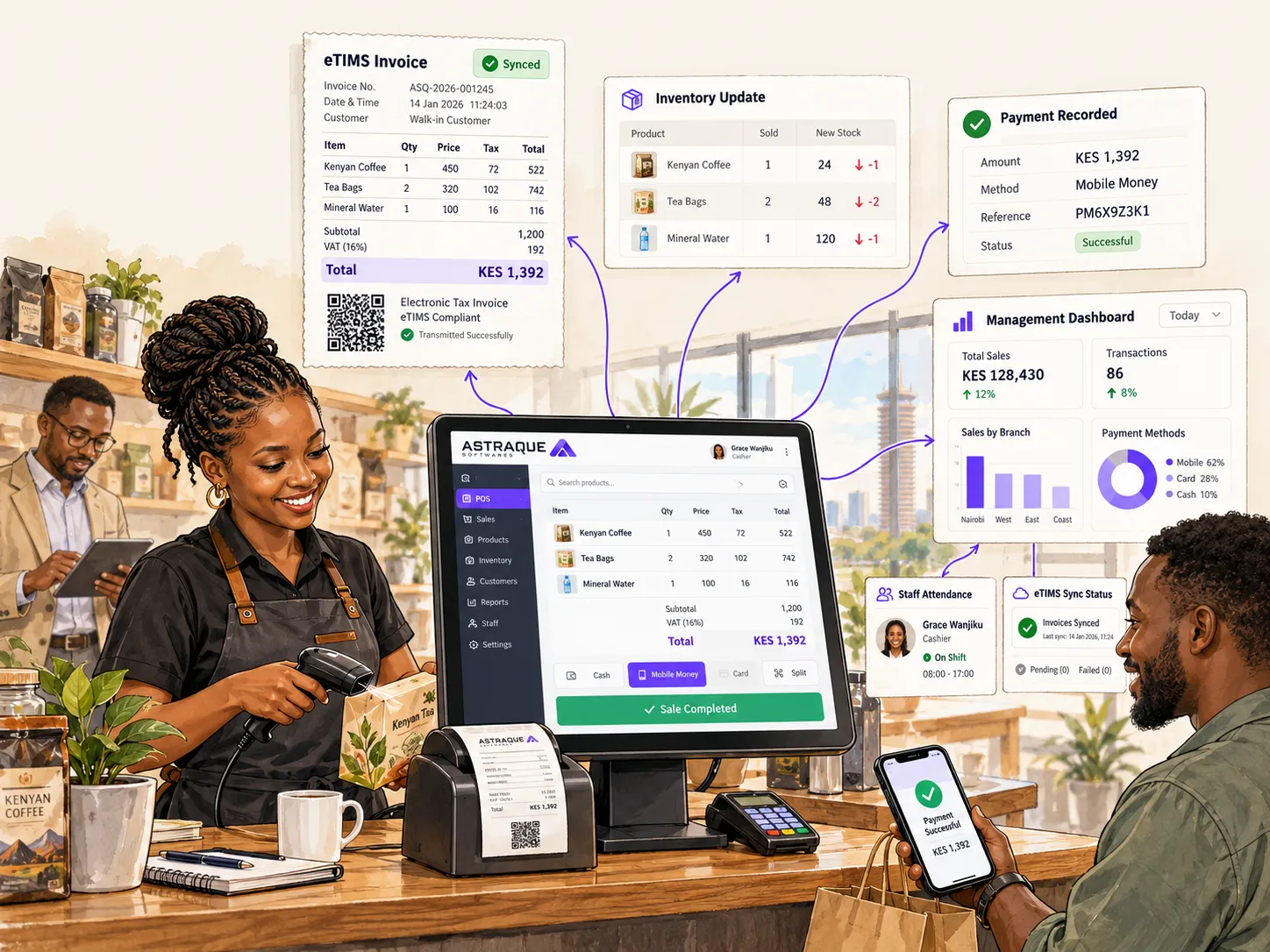
That makes it possible to automate processes such as:
- confirming an order
- marking an invoice as paid
- updating a customer's account
- generating a receipt
- updating inventory
- notifying staff
- recording the transaction
- updating dashboards
Instead of someone constantly checking confirmation messages on a phone, your software can respond to the payment automatically.
The account number is the biggest Paybill advantage
For businesses considering both options, the Paybill account field deserves special attention.
It can be used as a reconciliation key.
Suppose your company sends a customer invoice INV-7821.
The customer pays your Paybill using:
Account Number: INV-7821
When your system receives the payment notification, it can read that reference and search for invoice INV-7821.
If the payment matches, the invoice can automatically become:
PAID
No employee has to search through M-Pesa messages to work out which payment belongs to which invoice.
This becomes extremely useful once a company processes hundreds or thousands of payments.
A Till works better when you already know the transaction
At a physical checkout, the POS usually already knows what is happening.
The cashier has scanned the products.
The POS knows the total.
It knows the till or branch.
It may already know which cashier processed the order.
The only missing information is whether the customer successfully paid.
In that environment, requiring the customer to type an additional account reference may add unnecessary friction.
The POS can maintain its own transaction identifier and associate the incoming payment with the sale through the integration.
This is one reason a Till is such a natural match for retail.
What about transaction charges?
Do not choose between Till and Paybill based only on assumptions about charges.
Safaricom publishes separate tariffs and product terms, and pricing can change.
Its published Buy Goods guidance currently states that Business Till collections may attract a merchant charge capped at a percentage and maximum amount per transaction, with some low-value collections treated differently.
Paybill pricing can depend on the applicable tariff arrangement and product setup.
Before making the decision purely on transaction cost, check Safaricom's current tariffs for the specific product you intend to apply for.
The operational difference between the products can be much more important than a small difference in payment fees.
A cheaper payment method that creates hours of manual reconciliation may not actually be cheaper for your business.
Can your business have both?
Yes, in some situations using more than one M-Pesa product can make sense.
A business might operate a Till for walk-in retail purchases while also maintaining a Paybill for customers settling invoices remotely.
For example, a hardware company could use:
Till Number for customers purchasing at the counter.
Paybill for contractors settling monthly accounts or specific invoices.
The important thing is to avoid creating unnecessary complexity.
If your staff and customers cannot easily understand which number they should use, having several payment options can create more problems than it solves.
There should be a clear reason behind each payment channel.
What happens after the customer pays?
This is the part businesses often overlook.
Collecting money is only one part of the payment process.
Your business may still need to:
- confirm the transaction
- identify the customer
- update the order
- update stock
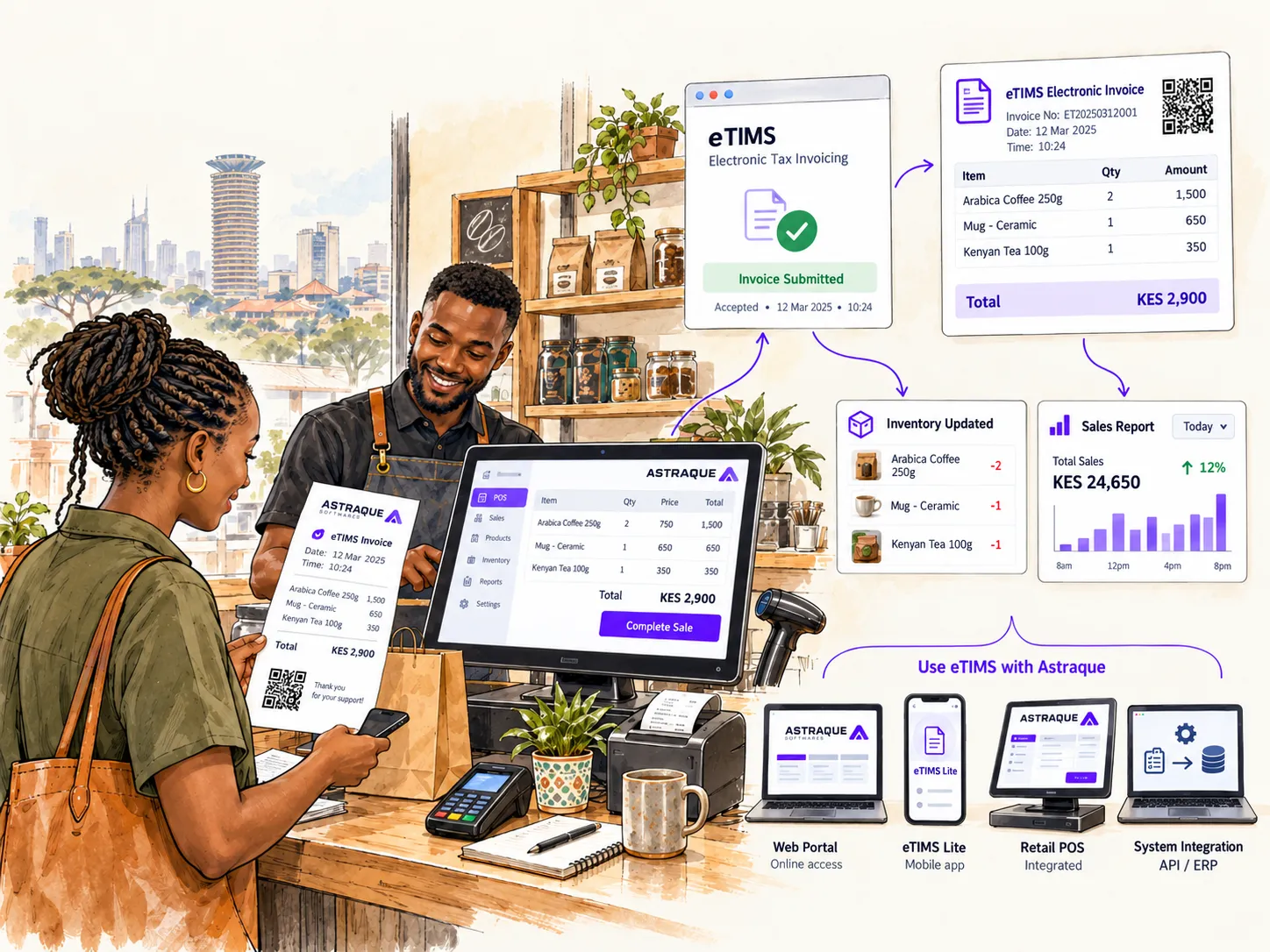
- generate an invoice
- send a receipt
- reconcile the payment
- record the sale
- update accounting records
- update management reports
If employees perform all of these steps manually, accepting digital payments has only solved part of the problem.
The real benefit comes when the payment becomes part of the wider business system.
Your website should confirm M-Pesa payments automatically
Consider a normal e-commerce transaction.
A customer places an order for KSh 6,500.
Your website sends an M-Pesa payment request.
The customer approves it.
M-Pesa processes the payment.
Safaricom then sends the appropriate result back to your system.
Your website can automatically:
- confirm the payment
- mark the order as paid
- reduce inventory
- generate the appropriate receipt or invoice
- notify the customer
- alert staff that the order is ready for fulfilment
Safaricom's Daraja APIs provide mechanisms for businesses to receive payment notifications and integrate M-Pesa transactions into their applications.
This is significantly better than asking customers to send screenshots of M-Pesa messages.
Do not verify payments using screenshots
A screenshot is not a payment integration.
Customers should not have to send an M-Pesa screenshot through WhatsApp before your business processes their order.
Screenshots can be edited.
Employees can also misread transaction details.
And somebody still has to manually compare the screenshot with your M-Pesa records.
If your business receives meaningful transaction volume, payment confirmation should happen between your system and the payment provider.
Your application should determine whether the transaction succeeded.
Not an image uploaded by the customer.
M-Pesa becomes much more powerful when connected to your business
Whether you choose a Till or Paybill, the biggest improvement often comes from integration.
A modern business can connect M-Pesa with:
- an e-commerce website
- a mobile application
- a POS
- an ERP
- an invoicing system
- a property management platform
- a booking system
- a subscription platform
- a school management system
- a customer portal
The payment stops being an isolated SMS notification.
It becomes an event inside your software.
That means your business can react to the payment immediately.
Which one should you choose?
For most ordinary retail businesses, start by considering a Business Till.
If customers normally walk in, buy something and pay immediately, the Buy Goods experience is simple and familiar.
If your business needs customers to identify an account, invoice, membership, property, subscription or another record when paying, a Paybill is usually worth considering.
The distinction can be summarized simply:
Use a Till when you mainly need to know that the customer paid.
Consider a Paybill when you also need the customer to tell you what they are paying for.
There will be businesses where either could work, particularly once payments are integrated directly with software.
In those cases, look at the wider workflow rather than choosing based on what another business uses.
Astraque Softwares can integrate M-Pesa into your website or business system
Accepting M-Pesa should not mean adding a phone number to your checkout page and asking customers to send confirmation messages.
Astraque Softwares builds websites and custom business systems that can integrate M-Pesa into the actual payment workflow.
For an e-commerce business, that can mean customers selecting M-Pesa at checkout, receiving a payment prompt and having their order confirmed automatically after successful payment.
For businesses collecting invoices, payments can be matched against customer records.
For POS systems, M-Pesa transactions can become part of the same sales and reporting workflow.
And for custom applications, payment logic can be designed around the way your business actually operates.
The objective is not simply to "add M-Pesa."
It is to make payment feel like a native part of the system.
Start with the way customers pay you
Choosing between a Till and Paybill does not have to be complicated.
Look at your normal transaction.
Does the customer simply need to pay the amount at checkout?
A Till probably fits that workflow naturally.
Does the business need the customer to identify an invoice, account or other reference?
That is where Paybill becomes particularly useful.
Then ask the more important question:
What should happen inside your business after the money arrives?
That is where payment integration starts creating real value.
The best M-Pesa setup is not simply the number customers type into their phones.
It is the one that makes receiving, identifying, confirming and reconciling payments easier for both the customer and the business.