Article · Systems
How to Register Your Business for KRA eTIMS
Astraque Softwares11 min read
If you run a business in Kenya, registering for eTIMS is an important part of setting up your invoicing process correctly.
eTIMS, short for the Electronic Tax Invoice Management System, is KRA's platform for generating and transmitting electronic tax invoices. KRA currently states that people and entities carrying on business are required to onboard onto eTIMS and issue electronic tax invoices, including businesses that are not registered for VAT.
Registration itself is not particularly complicated, but the process can be confusing because there are several eTIMS solutions and the terms "registration", "onboarding" and "service request" are often used together.
This guide walks through the process and helps you choose the eTIMS option that makes sense for your business.
Before you register for eTIMS
You need a valid KRA PIN before you can register on the main eTIMS Taxpayer Portal.
You should also make sure the mobile number registered with KRA is accessible because KRA uses one-time passwords during the registration process.
For a company or other business entity, you may also need access to the KRA PIN and registered mobile number of a director when completing the eTIMS service request.
It is worth checking these details before starting. An outdated mobile number on iTax can make an otherwise simple registration process unnecessarily difficult.
Go to the eTIMS Taxpayer Portal
Start by opening the official eTIMS Taxpayer Portal.
On the login page, select Sign Up.
KRA's registration guide then directs taxpayers to choose the PIN registration option.
You will be asked to enter your KRA PIN.
Click Verify.
If the PIN is valid, the system retrieves the taxpayer information associated with it.
Take a moment to make sure the information displayed belongs to the correct taxpayer or business before continuing.
Create your eTIMS password
After your KRA PIN has been verified, create a password for your eTIMS account.
This is the password you will later use to access the eTIMS Taxpayer Portal.
KRA requires the password to satisfy its security rules, including a combination of characters such as letters, numbers and special characters.
Use a password that is secure and make sure the appropriate person within the business has access to it.
Avoid using one employee's personal password for an account that may need to be managed by several authorized staff members over time.
Verify your registration using the OTP
After setting your password, select Send OTP.
KRA sends the security code to the mobile number registered against the taxpayer information in iTax.
Enter the code you receive.
You will then need to review and accept the data privacy statement before completing the sign-up.
Click Sign Up and confirm the registration when prompted.
At this point, the first part of the registration process is complete.
Log in to eTIMS
Return to the eTIMS login screen.
Your KRA PIN becomes your User ID.
Enter the KRA PIN together with the password you created during sign-up and log in to your account.
This gives you access to the eTIMS Taxpayer Portal.
However, creating the account is only part of the process. You still need to select the eTIMS solution your business intends to use.
Create an eTIMS service request
Once logged in, locate the Service Request option.
Select it and choose eTIMS.
For businesses where director verification is required, KRA's registration guide instructs the taxpayer to enter the director's KRA PIN and verify it.
An OTP is then sent to the director's registered mobile number and must be entered to continue.
This is one reason it is useful to have the correct director information available before starting the registration process.
Choose the right eTIMS solution
The next step is one of the most important.
You need to choose how your business will actually issue electronic invoices.
KRA currently provides several eTIMS solutions, including the Online Portal, eTIMS Client, eTIMS Lite and system-to-system integrations through OSCU and VSCU.
The right choice depends largely on the size of your business and how you currently process sales.
eTIMS Online Portal
The Online Portal is a web-based invoicing solution.
It can work well for businesses that issue a manageable number of invoices and do not require their invoicing workflow to be deeply integrated with another business system.
You can access the portal through a web browser and generate invoices directly.
For a consultant, service business or company issuing a relatively small number of invoices, this may be enough.
eTIMS Client
The eTIMS Client is downloadable software.
KRA states that it can support businesses with multiple branches and cashier tills or pay points, with options for supported Windows and Android devices.
If you choose the eTIMS Client during registration, KRA's registration guide notes that you may be required to provide the serial number and device model for the device on which the software will be installed.
eTIMS Lite
KRA provides eTIMS Lite for small and micro taxpayers who are not registered for VAT.
Current options include:
- eTIMS Lite through eCitizen
- eTIMS Lite through USSD using
*222# - the eTIMS Lite mobile application
KRA describes these as simplified invoicing options intended to make electronic invoicing easier for smaller non-VAT businesses.
For a small sole proprietorship without a full POS or accounting system, this can be one of the simplest ways to begin issuing electronic invoices.
System-to-system integration
For a business that already has a POS, ERP or invoicing system, manually creating the same transaction again inside another portal may not be practical.
KRA therefore provides system-to-system integration through OSCU and VSCU.
These options allow an existing invoicing or ERP system to communicate with eTIMS.
This is particularly useful for businesses such as:
- supermarkets
- restaurants
- wholesalers
- pharmacies
- hardware stores
- distributors
- multi-branch retailers
- manufacturers
- businesses processing large transaction volumes
Instead of asking a cashier to complete a transaction in the POS and then manually recreate it elsewhere, the invoicing process can become part of the business system itself.
Complete the service request
After selecting the appropriate eTIMS solution, review the applicable terms and conditions.
KRA's registration guide then directs the taxpayer to accept the required terms and submit the service request.
KRA says taxpayers can now self-onboard without requiring KRA intervention for the approval of these service requests.
A confirmation is sent to the mobile number registered with KRA when the application has been completed successfully.
Once that process is complete, you can proceed with the eTIMS solution selected for your business.
Do you need to be registered for VAT to use eTIMS?
No.
This is one of the most common misunderstandings about eTIMS.
KRA states that the requirement is not limited to VAT-registered businesses. Businesses that are not required to register for VAT can also fall within the eTIMS framework.
KRA specifically provides eTIMS Lite to make electronic invoicing easier for small and micro non-VAT taxpayers.
There are also buyer-initiated and reverse-invoicing mechanisms for particular situations, including certain small suppliers and structured supply chains.
So you should not assume that being below the VAT registration threshold automatically means eTIMS does not concern your business.
Is eTIMS registration free?
KRA provides its eTIMS software solutions without a software charge, including the Online Portal and eTIMS Client.
That does not necessarily mean every possible implementation has zero cost.
A business that wants to integrate eTIMS into its own POS, ERP or invoicing platform may have development, integration or third-party service costs.
That distinction is important.
Registering and using KRA's standard tools is different from building a complete business system around eTIMS.
Can you use more than one eTIMS solution?
Yes.
KRA says taxpayers can register for more than one eTIMS solution and generate invoices through different solutions where necessary.
For example, the way your main office invoices may be different from the way another part of the business operates.
However, each solution maintains its own invoice sequence, and KRA notes that a credit note must be generated through the same solution that produced the original invoice.
That is worth considering before allowing different branches or employees to use multiple invoicing methods without a clear process.
Registering for eTIMS is only the beginning
For a small business, registering for eTIMS and learning how to issue an invoice may solve the immediate problem.
For a larger business, the harder question comes afterwards.
How does eTIMS fit into everything else the business is already doing?
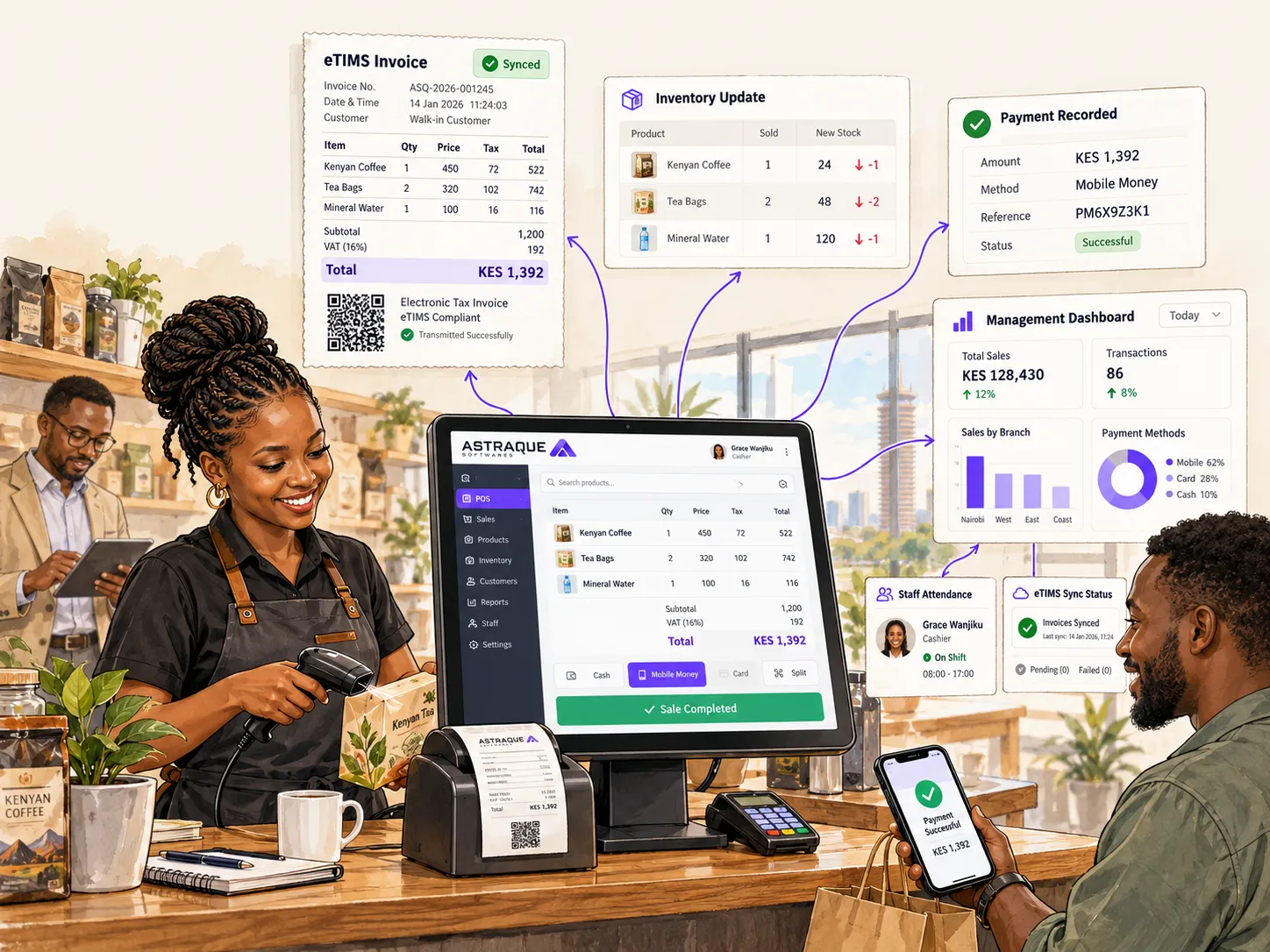
Imagine a supermarket with several tills.
When a sale is completed, the business may need to:
- record the sale
- update inventory
- record the cashier
- capture the payment method
- update branch totals
- update management reports
- record customer information
- generate the appropriate invoice
If these activities are handled by disconnected systems, employees end up repeating work and management ends up with fragmented information.
A properly designed POS or ERP system can bring those workflows together.
When should you integrate eTIMS with your POS?
Manual invoicing can make sense when you issue only a few invoices.
It becomes less attractive when transaction volumes grow.
A business processing hundreds of sales should not have to rely on staff manually transferring information between unrelated systems if the workflow can be automated safely.
KRA's system-to-system options exist specifically for businesses with invoicing or ERP systems that need to connect with eTIMS.
Depending on the business, a properly designed POS or ERP solution can combine:
- sales
- stock management
- branch management
- customer records
- employee permissions
- attendance
- M-Pesa payments
- supplier management
- management dashboards
- invoicing
- reporting
That turns eTIMS from a separate administrative task into part of the transaction itself.
Astraque Softwares builds custom POS and ERP systems
Astraque Softwares builds POS and ERP systems around the actual workflow of a business rather than forcing every business into the same generic setup.
For a small operation, that may mean a straightforward sales and inventory system.
For a larger operation, it can include multiple branches, cashier management, real-time attendance reports, inventory controls, M-Pesa integration, management dashboards and eTIMS-related invoicing workflows.
Where direct eTIMS integration is required, the implementation needs to follow KRA's applicable technical, testing and certification requirements.
The advantage is that your staff can work from a system designed around the business instead of constantly moving between separate tools.
Choose your eTIMS setup before your business outgrows it
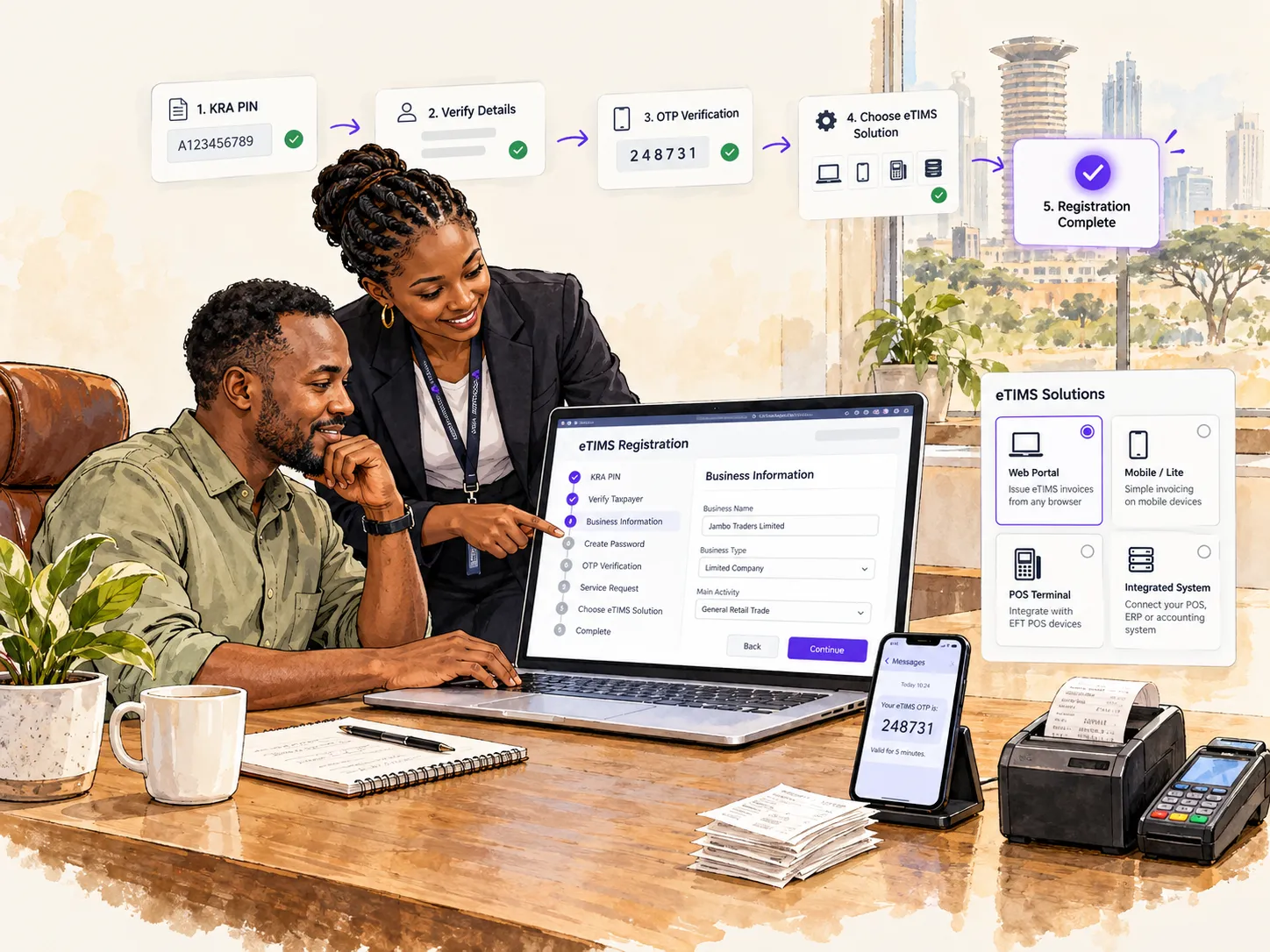
Registering for eTIMS is relatively straightforward:
- Sign up using your KRA PIN.
- Verify your details.
- Create a password.
- Complete OTP verification.
- Log in using your KRA PIN.
- Create the eTIMS service request.
- Complete the required director verification where applicable.
- Choose your eTIMS solution.
- Accept the terms and submit the request.
The bigger decision is choosing the right solution.
A small business may be perfectly comfortable using eTIMS Lite or the Online Portal.
A growing retailer with several tills may require something more structured.
A company already operating a POS or ERP may benefit from integrating its invoicing workflow instead of introducing another manual process.
The best setup is the one that keeps your business compliant without making everyday operations unnecessarily difficult.